

Image
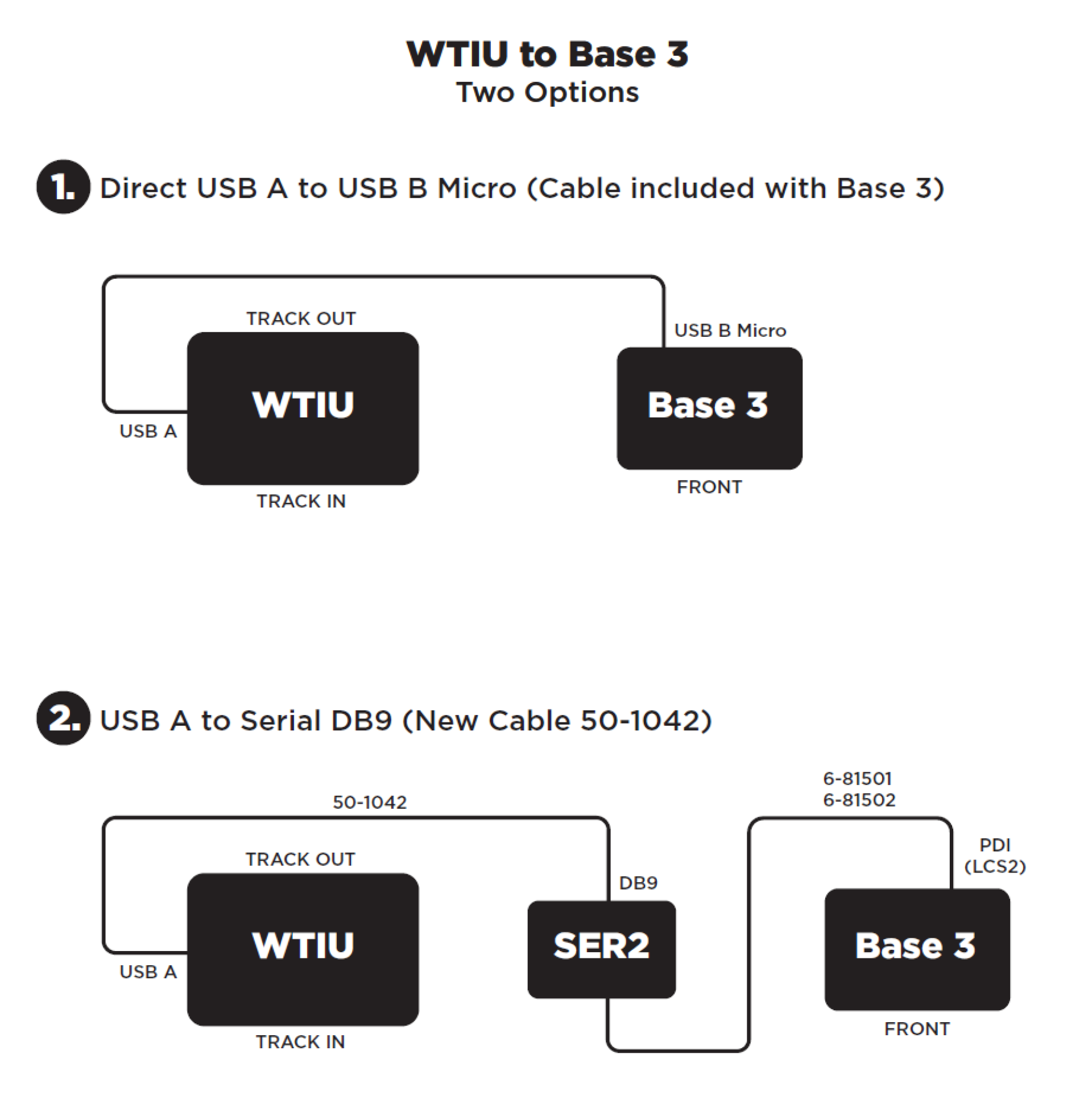
After updating the WTIU with the most recent firmware Version 1.3, the WTIU can be connected to the Lionel Base 3 in two different ways:
- The WTIU and Lionel Base 3 can directly hook up to each other using a USB A to USB B micro cable. The USB A end of the cable plugs into the side of the WTIU and the USB B micro end of the cable plugs into the back of the Base 3. This cable is included in the box with the Base 3.
- The WTIU can also be connected to the Lionel Base 3 using a SER2 and the new WTIU/TMCC-Legacy Command Cable 50-1042. The USB A end of 50-1042 will plug into the side of the WTIU while the the DB-9 Serial end will plug into the SER2. Then using a Lionel LCS PDI cable 6-81501 or 6-81502 you will connect the SER2 to the Base 3.